Unlocking Your Porter
A locked Wifi Porter can't be reconfigured by just anyone — that's the point of locking it during setup. This guide covers what "locked" means and how to unlock one, including the common case of inheriting a Porter that someone else set up.
What "Locked" Means
There are two lock types, depending on when and how the Porter was set up:
- Locked to an account (current) — the Porter can only be reset by signing into the PHN account that locked it
- Locked with a security code (legacy) — an older method that used a code shown once, during setup, on the phone that configured the device. If that code wasn't saved somewhere safe, this lock type cannot be undone through the app
⚠️ In both cases, "unlocking" a Porter is really a factory reset — there's no way to keep the existing Wi-Fi configuration and just remove the lock. Once unlocked, the Porter needs to be set up again from scratch.
How to Unlock a Porter
Account-Locked Porter
- Open the Porter Setup app and select the Porter from your device list (or scan it)
- Tap "Reset to Factory"
- Sign in with the account that originally locked the Porter, if prompted
- The reset completes and the Porter is ready to set up again
Porter Locked with a Legacy Security Code
- Open the Porter Setup app and select the Porter, then tap "Reset to Factory"
- When prompted, enter the security code shown when the Porter was originally set up
- If the app is still installed on the same phone that did the original setup, it may autofill the code for you
I Bought or Inherited a Property with a Porter That's Already Locked
This is a common situation — a previous owner or tenant set up the Porter and isn't reachable. Since the app has no way to verify property ownership on its own, this can't always be self-served:
- If you know or can guess which PHN account the previous owner used (their email), try signing in with it, or use "Forgot password" if you have access to that email
- Otherwise, contact our support team (info@tenonedesign.com) with proof of ownership (such as a receipt or order confirmation) and the Porter's ID, and we can help from there
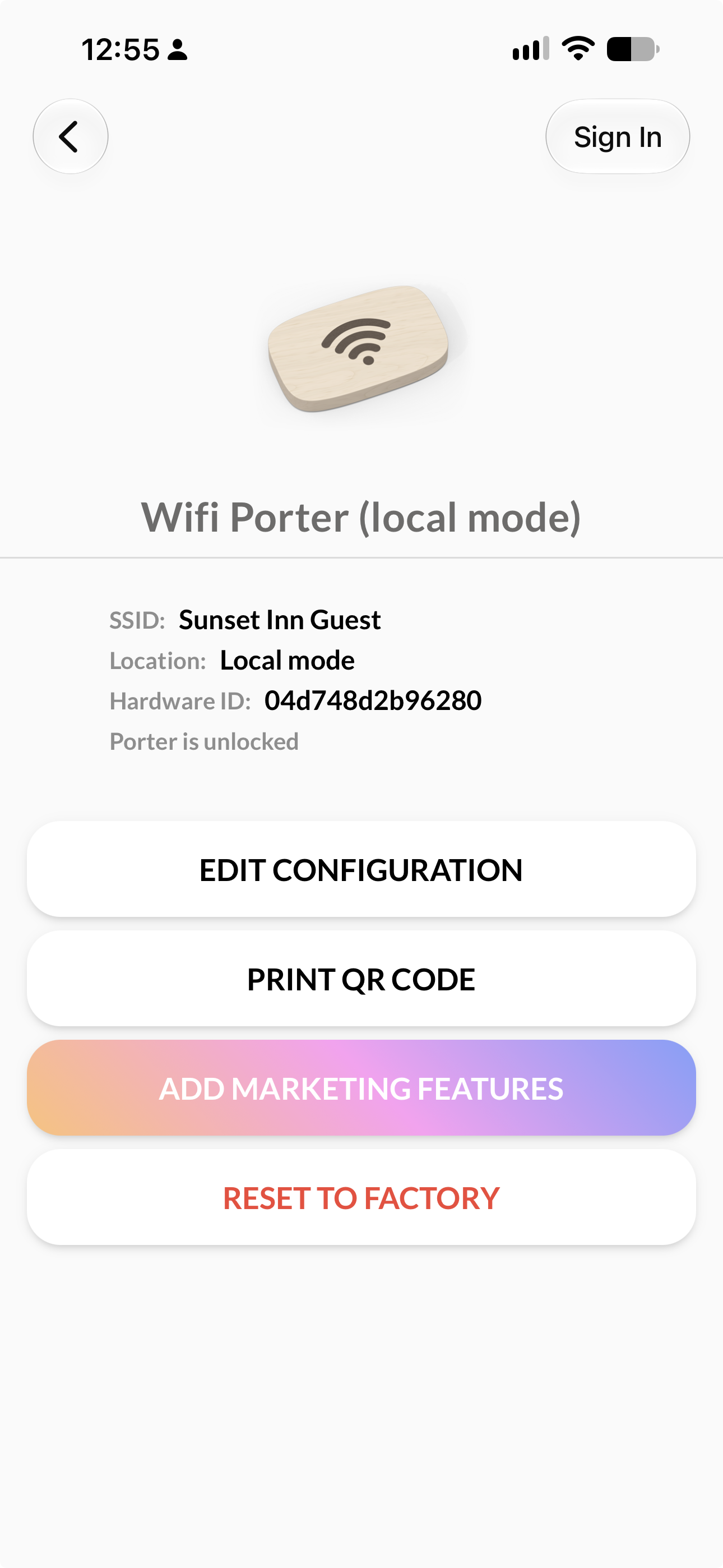
Screenshot: The Porter's Hardware ID, shown on its detail screen in the app
Troubleshooting Tips
| Issue | Solution |
|---|---|
| "Porter was not reset" | Make sure the phone stays held against the Porter for the full duration of the reset, and try again. |
| "Unable to unlock Porter. The code was incorrect." | Double check the security code for typos. Codes are case-sensitive and don't include spaces. |
| "This phone is unable to lock your Wifi Porter due to a storage error" (while setting up a new lock) | Restart the app and try again. If it persists, try a different phone. |
Need Additional Help?
If you're still stuck, contact our support team (info@tenonedesign.com) with the Porter's ID and, if applicable, proof of ownership.
Was this article helpful?
That’s Great!
Thank you for your feedback
Sorry! We couldn't be helpful
Thank you for your feedback
Feedback sent
We appreciate your effort and will try to fix the article